Service Map

See how your services connect.

See how your services connect.

See how your services connect.

Connect service dependencies to the domains they support. Trace external calls, applications, data stores, and underlying platforms in Parny.

Your infrastructure. Connected.

Explore connections across cloud platforms, data centers, and third-party services.
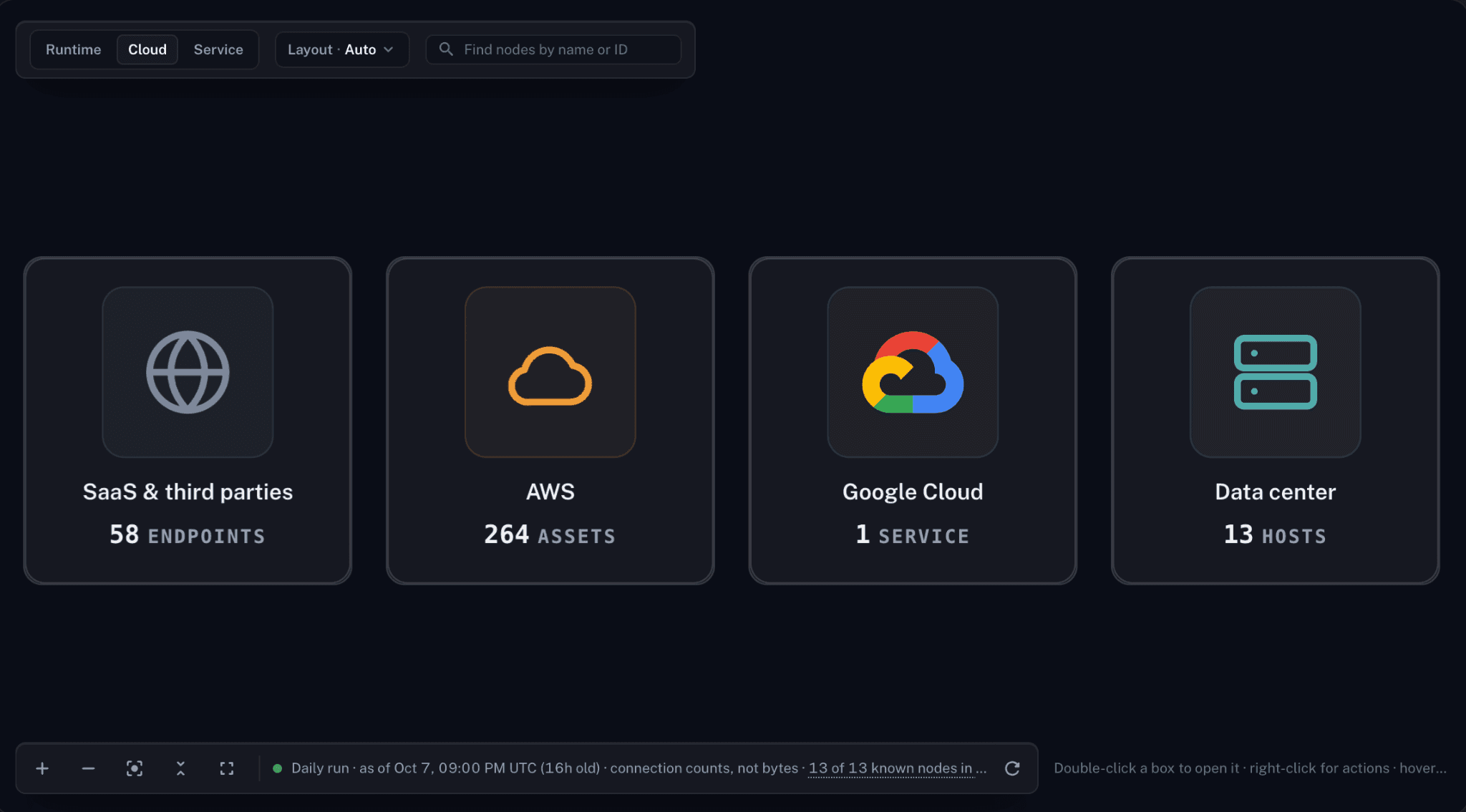
Parny Infrastructure View, Cloud tab, showing SaaS and third-party endpoints, AWS assets, Google Cloud services, and data-center hosts in the displayed environment.

Infrastructure View in Parny, Cloud tab. Select the image to view it full size. Counts reflect the environment shown.

Explore the technical environment

The Cloud tab shown above organizes this environment into SaaS and third-party endpoints, AWS assets, Google Cloud services, and data-center hosts.

Keep business context in view

Domain View groups services into business-facing domains. Use that context alongside Infrastructure View’s technical perspective when exploring the systems around a service.

Keep business context in view

Domain View groups services into business-facing domains. Use that context alongside Infrastructure View’s technical perspective when exploring the systems around a service.

Investigate potential impact

Use dependency paths to investigate where a failure could propagate. Validate the affected services with current signals before deciding what action to take.

From a service to a clearer investigation

Use the map as a shared starting point: find the service, trace the relationships, and validate the potential impact against current evidence.

01 Find the service

Open Service Map in Parny. Choose the infrastructure or domain view and locate the service you want to investigate.

02 Follow the dependencies

Inspect callers, callees, and supporting databases or caches. Trace the connections to see which systems share a dependency.

02 Follow the dependencies

Inspect callers, callees, and supporting databases or caches. Trace the connections to see which systems share a dependency.

03 Validate the impact

Use Impact Analysis to explore possible propagation paths. Compare them with current alerts, logs, metrics, and recent changes before deciding what to do.

Service Map: questions answered

What the map shows, how discovery works, and how to use dependency context during an investigation.

What is Parny Service Map?

Service Map is Parny’s service-dependency view: it connects infrastructure, services, and domains. In the product, open Service Map to explore these relationships.

How is it different from Infrastructure Visibility?

Infrastructure Visibility shows the agent-observed infrastructure graph. Service Map adds service and domain context so you can trace technical relationships around a business-facing service.

How is it different from Infrastructure Visibility?

Infrastructure Visibility shows the agent-observed infrastructure graph. Service Map adds service and domain context so you can trace technical relationships around a business-facing service.

Does discovery update in real time?

Service Map currently refreshes daily. The dependency graph is a discovered snapshot; check current telemetry and recent changes when investigating an incident.

What does Impact Analysis show?

Impact Analysis explores potential failure propagation through dependency paths. It identifies what may be affected; a connection alone does not confirm a failure or prove its root cause.