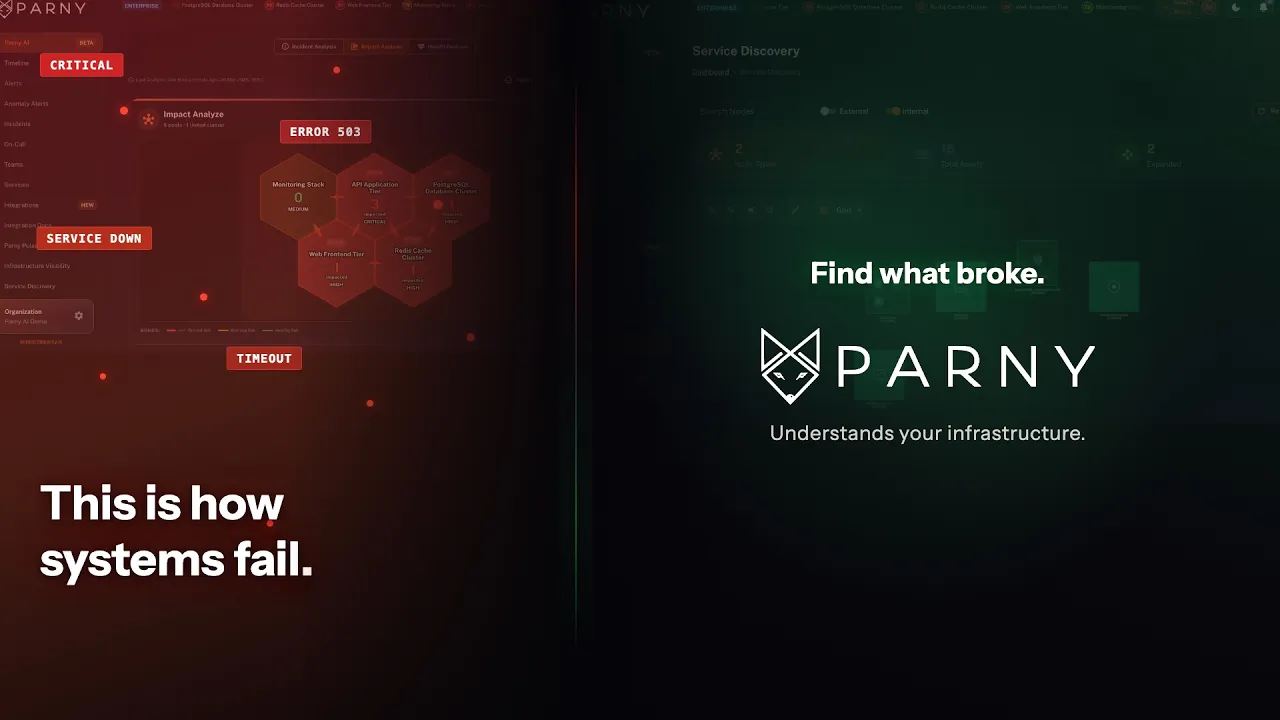
Parny AI connects related alerts with service and infrastructure context. See a root cause assessment, potential impact, and recommended next steps in one view.

See Parny AI in action
Trusted By
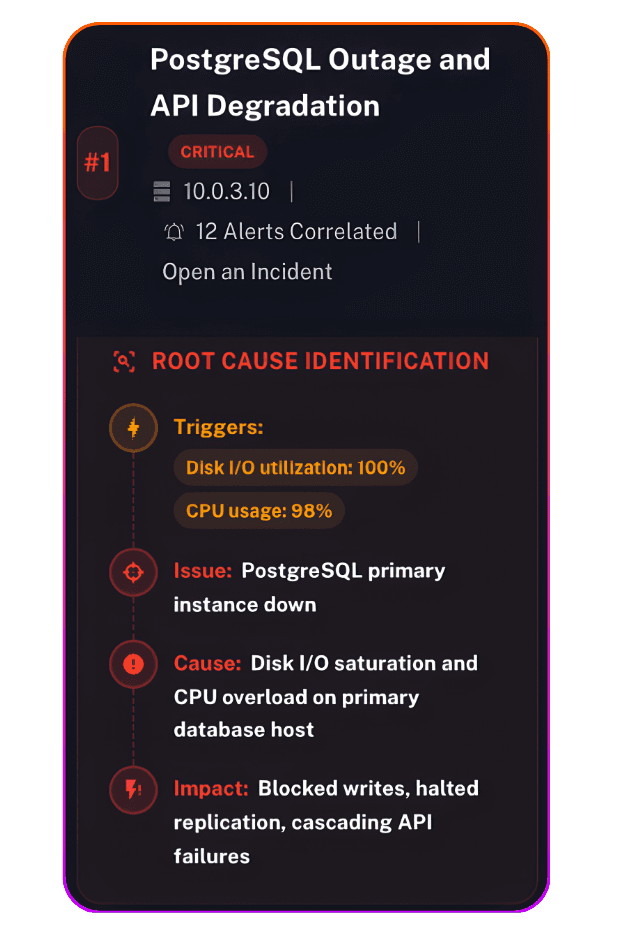
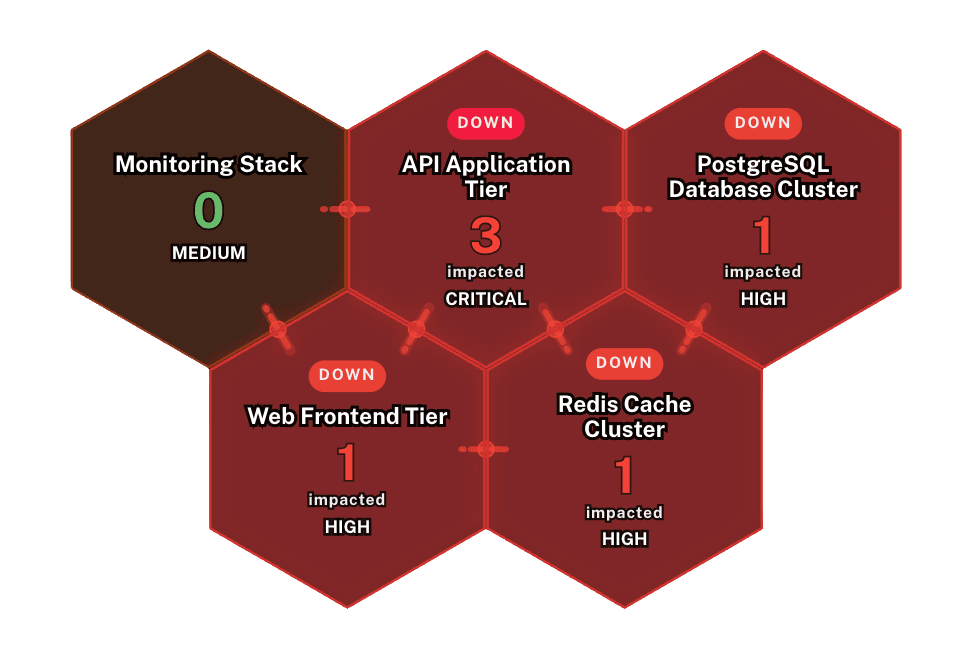
A service is failing, but the alert alone may not explain why. Which signals are related? Which dependencies matter? What should your team check next? Parny AI brings alert and infrastructure context together so your team can review the cause, potential impact, and next steps.
How It Works
From related alerts to a clearer investigation plan.
Follow a checkout alert through dependency context, potential impact, and AI investigation in Parny.
01 Connect and map
Connect supported alerting tools and set up the InfraMap agent for automatic mapping. Available service and infrastructure context helps your team trace relationships between an alert, its host, and dependent services.
02 Review related alerts
Review related alerts alongside the available service context. Investigate whether several symptoms share a dependency, and assess which connected components may be affected.
03 Assess and respond
Review the root cause assessment, potential impact, and recommended next steps. Treat the assessment as a hypothesis: validate it against current logs, metrics, and recent changes. Your team decides which action to take.
Parny AI understands your infrastructure, services and the dependencies between them, making that knowledge available to your engineers and, through MCP, to your AI agents. It gives your team a shared view of how the platform fits together, supporting everyday engineering work as well as incident investigation. When problems arise, Parny AI provides likely causes, potential impact and recommended next steps for your team to verify. It also predicts which alert is likely to come next.
Example: checkout slows down while API errors and database alerts increase. A cache alert appears elsewhere in the environment. This is an illustrative scenario, not a measured customer result.
1. Examine shared dependencies
Use the service and infrastructure relationships to see whether checkout and the API depend on the same database. Compare alert timestamps; similar timing alone does not prove a shared cause.
2. Test the likely cause
Check current database metrics and logs in your monitoring tools. Look for evidence that supports or contradicts the suggested explanation. These are checks for the engineer, not a claim that Parny AI automatically inspects every source.
3. Verify the impact
Follow dependent services, then check their current errors, latency and availability. A dependency indicates potential exposure, not a confirmed failure. Investigate the cache alert separately unless the evidence connects it.
4. Keep people in control
Review the evidence and the freshness of the dependency map before acting. Treat the root cause suggestion as a hypothesis, follow your change controls and verify recovery afterwards.
Core Capabilities
Impact Analysis
Review potentially affected services and infrastructure to help your team assess the scope of an incident.

Root Cause Assessment
Use related alerts and available dependency context to review likely causes and prioritize what to investigate next.

Alert context
Bring related alert information into the investigation so your team can review the signals together.

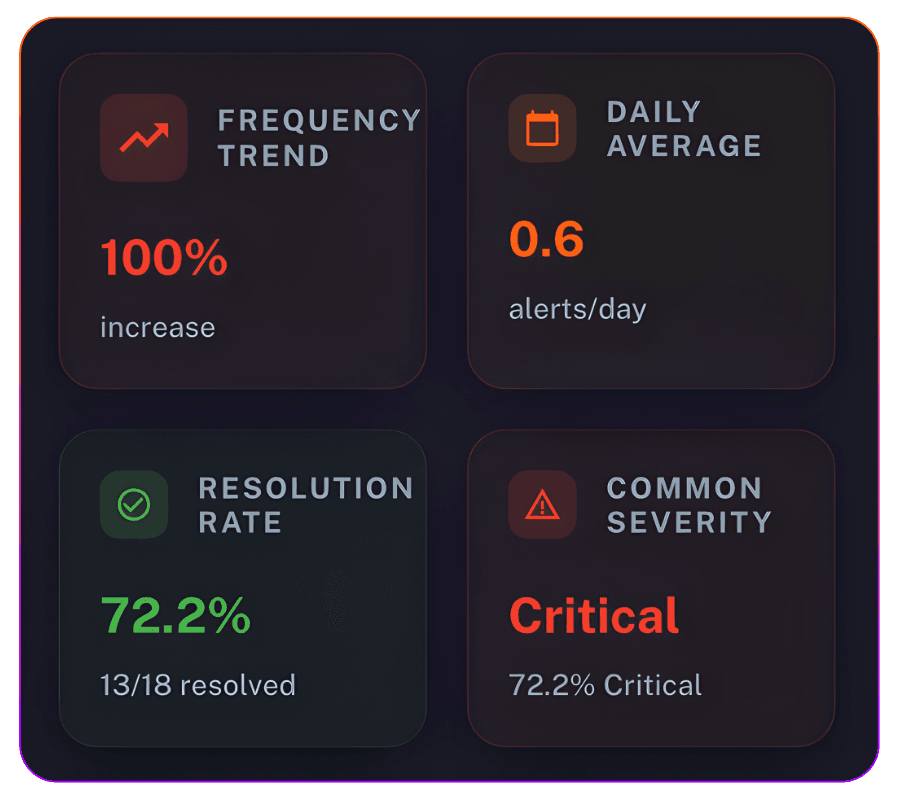

Ongoing Incident Analysis
Review incident severity, related alerts, and potential impact together as your team investigates.


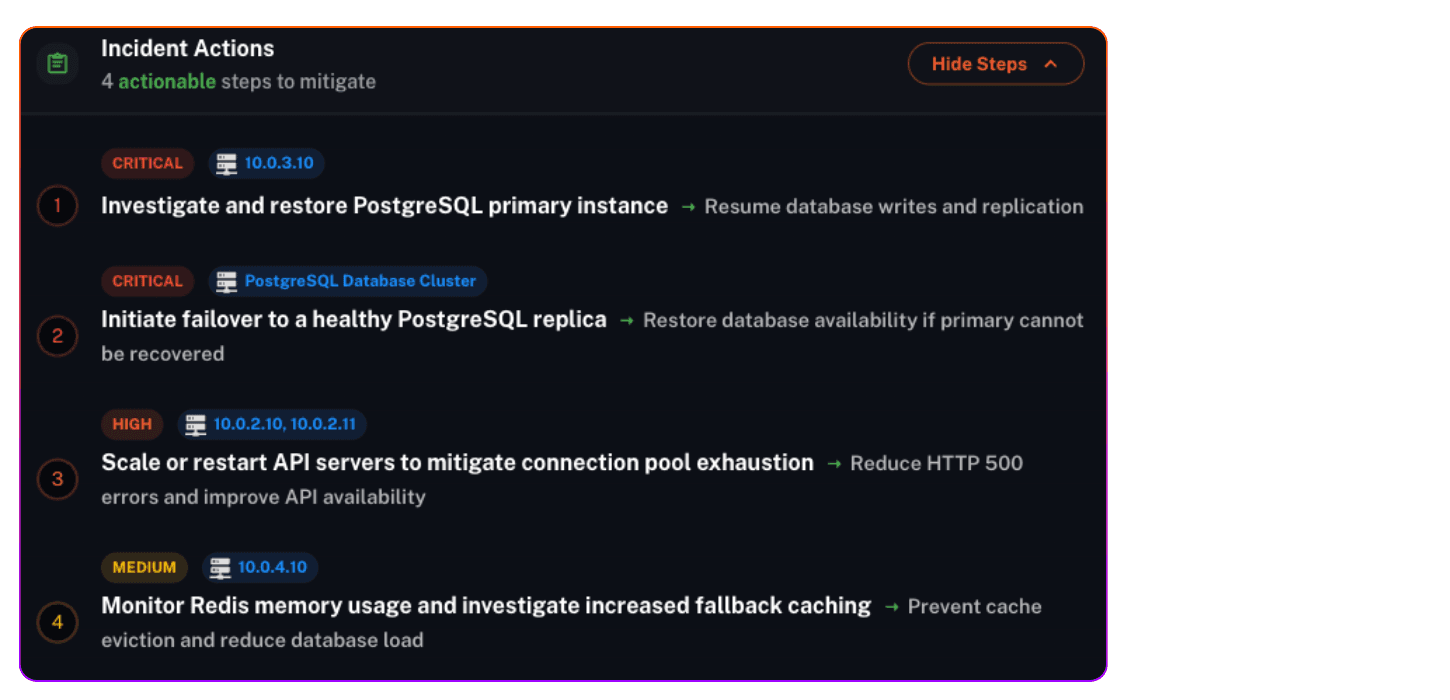
Recommended Actions
Review prioritized investigation and response steps for your stack. Your team chooses what to do and follows its runbooks and change controls.

Health Assessment
Review available health information for connected hosts and services alongside the incident assessment.
For teams where downtime isn't an option.
On-call engineers and developers
Bring related alerts and service context into one investigation, then review the cause, impact, and next steps with your team.
Platform and SRE teams
Use available service relationships to investigate across components and review the potential impact of an incident.
IT and infrastructure teams
Review host and service context alongside related alerts to understand which parts of your environment need investigation.
Technical leaders
Give responders a shared starting point for incident review, with an assessment they can discuss and validate before making changes.
FAQ
Got questions? We've got answers.
The investigation starts with correlated alerts and available service context. The AI summary brings together a root cause assessment, affected pools, endpoints and hosts, plus an action plan. Use it to choose the next checks, then validate the likely cause and impact against live evidence before making a change.
Illustrative workflow, based on the product screen above: PostgreSQL availability, CPU, disk I/O and replication-lag alerts appear alongside API errors. Review their shared dependencies, assess database resource saturation as a likely cause, and inspect the affected database, API and frontend services. Next, check current metrics, database logs and recent changes. A responder validates the findings and chooses the action. This example uses alert information; Parny AI does not currently use DB Agent data. View the example product screen →

Review the recommendation first. Confirm that the cited signals are current, check the affected services and dependency context, and compare the proposed step with your runbook and change controls. The responder decides whether to act and checks recovery afterward. An AI-generated assessment should be verified before it is used to change production.
Use the supported alert connections in Parny’s integration catalog. The information available to an AI investigation depends on the integration and the context supplied with the incident. See full list →
Connect your supported monitoring and alerting tools. For automatic infrastructure mapping, follow the InfraMap agent installation and setup requirements. Coverage depends on your integrations and environment. Read the Infrastructure Visibility setup guide →
Review our Privacy Policy and contact support@parny.io for current details on data processing, retention, access controls and security before connecting production data.
Parny AI investigates and recommends next steps. Your team reviews the findings and executes any changes through its normal change process. Autonomous remediation is not currently a released capability.
Review the current plans for included features, usage limits and trial terms. Contact support@parny.io to confirm the terms that apply to your account before starting. See pricing →
Contact support@parny.io to confirm the supported integration options, required inputs and availability for your workflow.